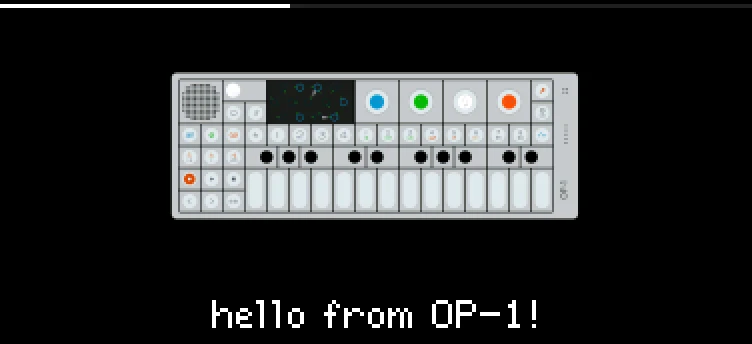
Your own start-up picture, from the disk's mods/splash folder, fitted to whichever screen your OP-1 has.
Keys
Your own start-up picture
- In disk mode, open the
mods folder and make a folder named splash in it, if it isn't there yet.
- Copy one picture into
mods/splash: a PNG with any name, not interlaced, up to 2048 × 8192 pixels and 1 MB. It's scaled to fit your OP-1's screen, whichever type it has (a little less tall with a name under it).
- For a name under the picture, put a
name.txt beside it: its first line shows, up to 23 characters.
- Eject the disk on the computer (the OP-1 leaves disk mode). The picture shows from the next start.
One picture at a time: a new one replaces the old. Delete it for TE's logo again. A picture the OP-1 can't use isn't kept, and a notice after disk mode says why (not a PNG, interlaced, too big, damaged, no room on the flash); the old one stays. Transparent parts show black.
Right after updating to beta 4, the first start shows TE's logo once. Your picture is back from the next start.
Details
- Plugin:
opus.splash, version 1.0.3, as in the Opus 2.0 beta 4.2 starter pack
- Needs: Opus 2 with core 2.33 or later
- Memory: 92 KB of the plugins’ 6 MB, loaded
- CPU: none: no audio of its own
- SHA-256:
0f210a24e8f8fdbc3bfde5df36397985a0994e76f44678cc3f0f2fb58016e4ea
Install
Put the OP-1 in disk mode (shift + com, then T3) and copy the .opmod file into the mods folder on its disk. Eject the disk on the computer: the OP-1 leaves disk mode and loads the plugin at its next start. Opus 2 has to be installed first: opus-op1.pages.dev.
Licence
© LizardMan, free to use and share, source not published yet.
Releases
The version in the Opus 2.0 beta 4.2 starter pack.
-
splash.opmod
15.3 KB · ↓ 0
-
Opus Opus 2, core 2.33 or later
· last confirmed by the author, 16 Nov 2026
File details
- Format
- Opus plugin
- SHA-256
0f210a24e8f8fdbc3bfde5df36397985a0994e76f44678cc3f0f2fb58016e4ea