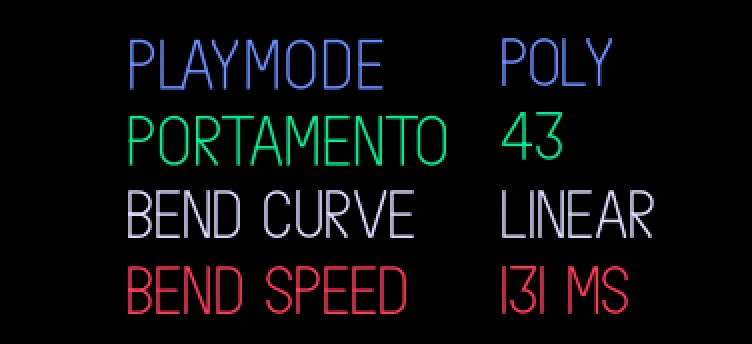
Shift + left and right bend the pitch, with curves, speeds and depths on the synth's shift page. With the setting "arrows" on bend, left and right alone bend (in the preset browser and the engine, effect and LFO lists too) and shift + left and right change the octave; tap shift twice on the synth to flip between the two, with a popup. A MIDI pitch bend from the computer follows the same depths.
Keys
- shift + ←
- shift + →
- arrows on bend: ←
- →
- shift twice on the synth: flip
All of them: the mods page (menu, T2), bend selected, green push.
Details
- Plugin:
opus.bend, version 1.4.0, as in the Opus 2.0 beta 4.2 starter pack
- Needs: Opus 2 with core 2.34 or later
- Memory: 12 KB of the plugins’ 6 MB, loaded
- CPU: none: no audio of its own
- SHA-256:
218e173abe0a29f335165d6b0919c99c2fd642616eca59a665ffce639f27d854
Install
Put the OP-1 in disk mode (shift + com, then T3) and copy the .opmod file into the mods folder on its disk. Eject the disk on the computer: the OP-1 leaves disk mode and loads the plugin at its next start. Opus 2 has to be installed first: opus-op1.pages.dev.
Licence
© LizardMan, free to use and share, source not published yet.
Releases
A MIDI pitch bend from the computer follows bend's up and down depths instead of the OP-1's fixed octave. With the arrows on bend, the lists bend too: in the preset browser and the engine, effect and LFO lists a plain arrow bends and shift + an arrow steps the octave.
The version in the Opus 2.0 beta 4.2 starter pack.
-
-
Opus Opus 2, core 2.34 or later
· last confirmed by the author, 16 Nov 2026
File details
- Format
- Opus plugin
- SHA-256
218e173abe0a29f335165d6b0919c99c2fd642616eca59a665ffce639f27d854