3.3 latest
From the hundekraft 3.3 release.
-
tapes.knl 5.6 KB · ↓ 1
- hundekraft
File details
- Format
- hundekraft (kennel) plugin
- SHA-256
bda92e441f159736b85ed52ed8b4678a49af3f64c9765631b5d23d941321a014
by hundekraft
Four tapes with their own tracks, loop and undo history; switch with tape + T1 to T4
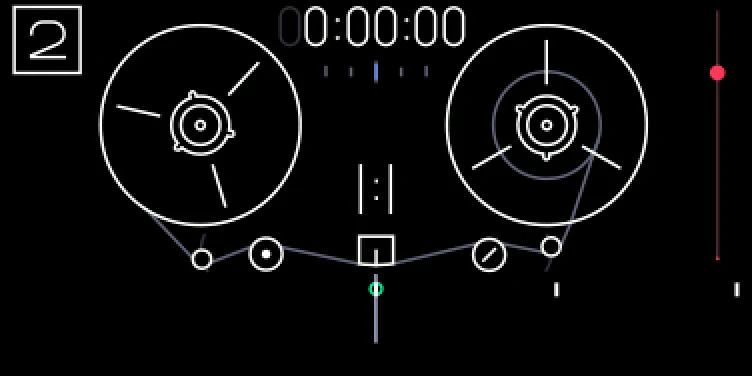
The OP-1 has four tapes. Each has its own four tracks, clips, loop, position, tempo, album and undo history.
Tape 1 is the OP-1's own tape, so it's still there if you go back to official firmware. Tapes 2 to 4 are made the first time you open them: empty, at the tempo you're using, and they only take space on the flash as you record. Hold tape and press the number of the tape you're on to see which one it is. T1 to T4 on their own still pick tracks. Official firmware only opens tape 1 and leaves the other tapes alone.
Note: Switching doesn't work while you record ("stop recording first") or in disk mode. While a clipboard copy runs, a tape switch is refused: wait for the copy to finish, then try again. A new tape needs 64 MB free. The OP-1 always starts on tape 1, and disk mode shows only the tape you're on. There's no way to delete a tape yet.
To copy tracks from tape 2, 3 or 4 to your computer, switch to that tape first, then open disk mode. The disk then holds that tape's tracks and album.
Credit: hundekraft, after Maiko.
From the hundekraft 3.3 release. Full manual
From the hundekraft 3.3 release.
bda92e441f159736b85ed52ed8b4678a49af3f64c9765631b5d23d941321a014