3.3 latest
From the hundekraft 3.3 release.
-
snowglobe.knl 20.7 KB · ↓ 1
- hundekraft
File details
- Format
- hundekraft (kennel) plugin
- SHA-256
58e991332ba0263d88b0be11d449f81b765c362ae962e02b40b74a59384b1c3b
by hundekraft
A shimmer reverb whose tail climbs an octave at a time, and freezes into a pad
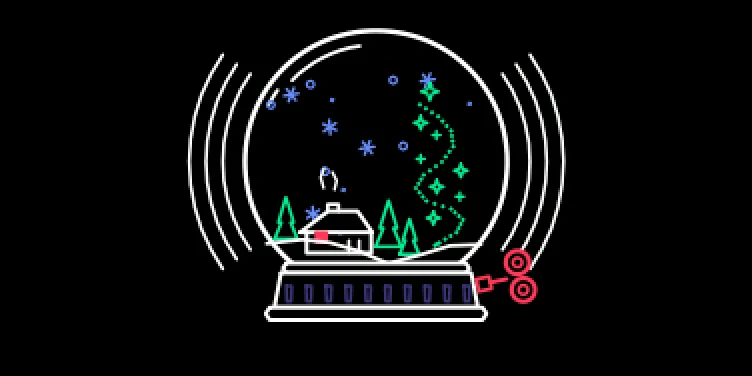
Shimmer reverb with a frozen heart.
A shimmer reverb whose tail climbs an octave at a time. At the top of orange the tail freezes into a pad that holds until you turn back.
To load it: Shift + T3 pick snowglobe on a synth or drum slot
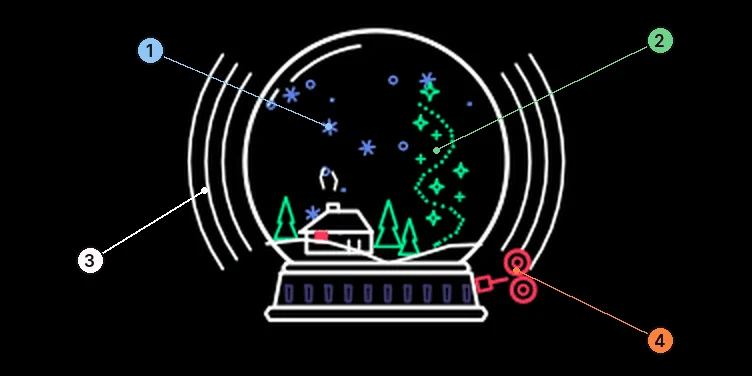
| Knob | Control | Turn |
|---|---|---|
| blue | Snowfall | Decay time |
| green | Shimmer | How much of the tail climbs an octave |
| white | Globe size | Size of the space |
| orange | Shake | Adds the reverb. The last few percent freeze the tail |
| Starting point | blue | green | white | orange | Notes |
|---|---|---|---|---|---|
| Ice padon Wavetable | 90% | 70% | 80% | 70% | Long, climbing tail. Preset: ice pad. |
| Snowfieldon Wavetable | 100% | 30% | 100% | 65% | Huge, little shimmer. Preset: snowfield. |
| Auroraon Elg | 95% | 90% | 100% | 80% | Shimmer all the way up. Preset: aurora. |
Each bar is a share of that encoder’s range. The encoders turn endlessly, so use it as a guide while you watch the screen. Where a preset is named, it’s in the workshop’s preset pack.
To freeze a chord:
Note: Snowglobe is heavier on the CPU than Washer. If you use it as master effect and on an instrument at the same time, each one runs its own copy.
From the hundekraft 3.3 release. Full manual
From the hundekraft 3.3 release.
58e991332ba0263d88b0be11d449f81b765c362ae962e02b40b74a59384b1c3b