3.3 latest
From the hundekraft 3.3 release.
-
sampletools.knl 21.4 KB · ↓ 1
- hundekraft
File details
- Format
- hundekraft (kennel) plugin
- SHA-256
24af2d9501f31f52827e097930e1fbd495d2226b5c378d7dd62b0ee01bdf3c87
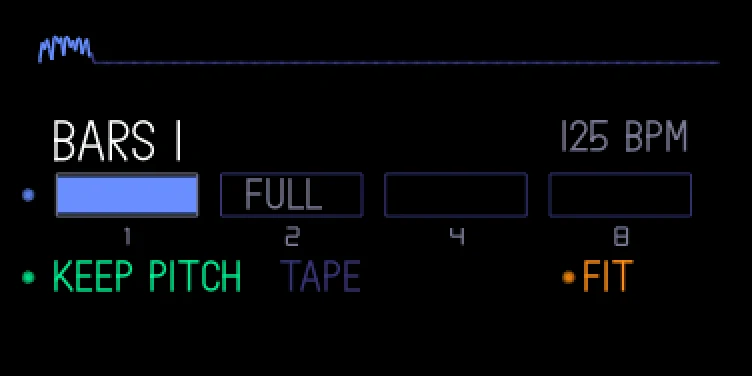
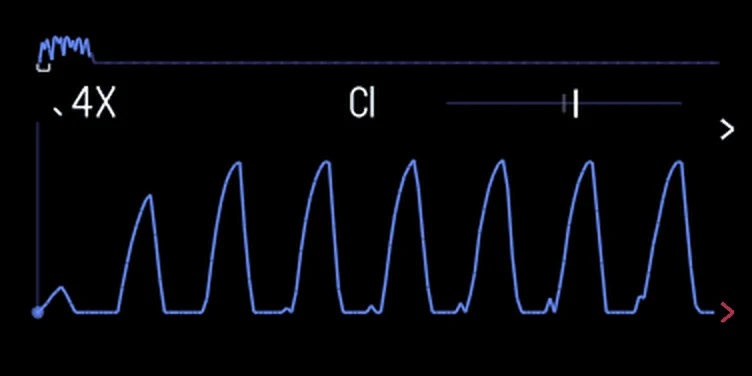
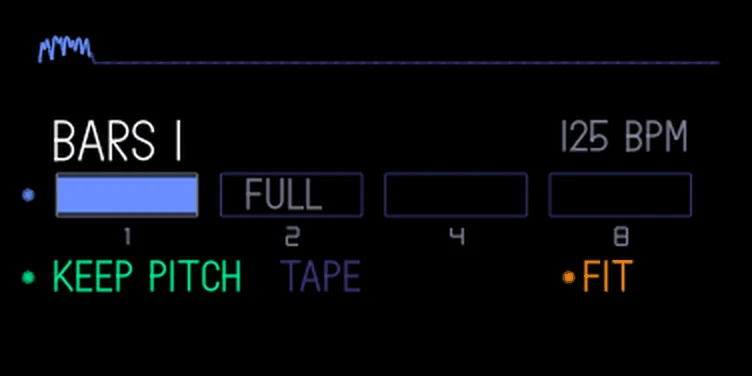
Three tools on the stock sampler screens, for a synth sampler sound and a sampled drum kit. They're there whenever the stock sampler screen shows; while op1r's sample editor is open, they step aside.
Zoom. Push white to zoom in around the marker you moved last: 2x, 4x, 8x, 16x, up to 32x. Shift + push white zooms out again. Zooming doesn't move start or end. On the synth sampler, hold blue pushed and turn it to move the start in fine steps. Markers outside the view show as arrows at its edges. The zoom resets when you change the sound, the slot or the drum key.
Note and tuning (synth sampler). The screen shows the note of the part you use, in the OP-1's own numbering (middle C is C3), with a tuner from -50 to +50 cents. The needle turns green within 3 cents. Shift + push green tunes the sound to what it measured: every key then plays in tune, the needle moves to the middle and the note turns green. Shift + push green again puts the old tuning back.
Fit to bars. Stretch the sample to exactly 1, 2, 4 or 8 bars at the OP-1's tempo:
Keys and knobs wait while it fits. Fitting can't be undone with tape undo. The markers follow the new length. On a drum kit the whole used part, from the earliest start to the latest end, is fitted and every key's markers move with it.
Note: Fitting changes the sound you're playing, not the saved one: reload it the usual way to get the original back. It doesn't work while you sample or record, or on a sample shorter than 0.05 seconds.
Credit: hundekraft, after Maiko.
From the hundekraft 3.3 release. Full manual
From the hundekraft 3.3 release.
24af2d9501f31f52827e097930e1fbd495d2226b5c378d7dd62b0ee01bdf3c87