3.3 latest
From the hundekraft 3.3 release.
-
naming.knl 5.2 KB · ↓ 1
- hundekraft
File details
- Format
- hundekraft (kennel) plugin
- SHA-256
87ea1b3e033d3bde7df021bc41641d901e12582cf3425a7306e87f288c5e09a6
by hundekraft
Names for sounds up to 12 letters, and overwrite, rename or delete for your presets
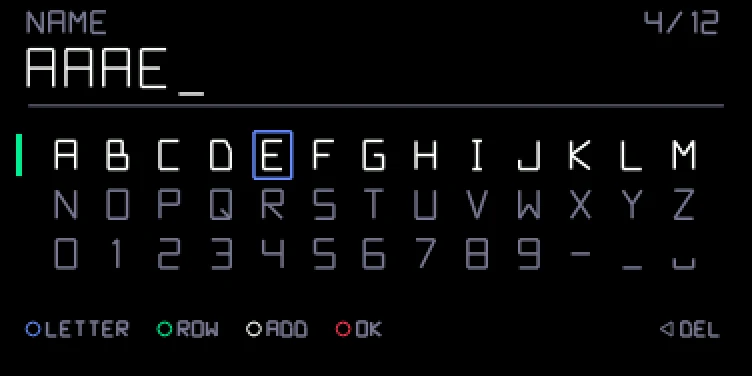
Names are up to 12 characters: a to z, 0 to 9, dash, underscore and space. If the name exists, the new sound gets _1 added. Leave it empty, or press a mode key, to get the usual date-stamp name. It works for synth and drum sounds. The NAME screen starts with the name of the preset the sound came from, so a second save of the same sound is one push of orange.
With Naming in your build you can change your own presets, synth sounds and drum kits alike. Factory presets can't be changed.
A deleted preset is kept in a .deleted folder next to your presets, the newest 16 of them, so it can be brought back by hand in disk mode.
Credit: hundekraft, after Maiko.
From the hundekraft 3.3 release. Full manual
From the hundekraft 3.3 release.
87ea1b3e033d3bde7df021bc41641d901e12582cf3425a7306e87f288c5e09a6