3.3 latest
From the hundekraft 3.3 release.
-
ludwig.knl 782.9 KB · ↓ 1
- hundekraft
File details
- Format
- hundekraft (kennel) plugin
- SHA-256
3b2c6d285b3a598940073253d189c1e5e690d4d1aef7d1a1582aa7f8eb32ded7
by hundekraft
A piano from measured recordings of a Yamaha grand: the real hammer attack, then every overtone at its own pitch
An 88-key grand piano for the OP-1.
LUDWIG is a grand piano rebuilt from a real one. Every key of a concert grand was measured: how loud each overtone is, and how it fades over the first seconds. LUDWIG puts that sound back together live while you play, so it can do what a recording can't. Stretch the overtones until the piano turns into bells, let the notes ring four times longer, make it darker or brighter at the same level, or retune the whole instrument to the temperaments of Bach's day. The first instant of every note is the real hammer on the string.
Press synth, hold Shift and press T1, then pick LUDWIG in the list.
| Encoder | Turn | Shift + turn |
|---|---|---|
| blue | Hammer: which recorded loudness plays. In the middle it follows how hard you play. Turn left for a softer recording, right for a harder one | Release: how fast the dampers come down. Left is natural, about 200 ms, and right is up to 2.6 s |
| green | Stretch: how far the overtones sit above a pure series, as on a real piano's stiff strings. Left is pure, the middle is the recorded piano, and the right goes up to eight times further, for bells and clangs | Attack: the left half is the recorded attack, the right half the synth's own, softer and without the hammer |
| white | Sustain: how fast a note dies away after its first 93 ms. The middle is the recording. Left is up to four times faster, right up to four times slower | Tuning, in eight steps |
| orange | Tone: brightness, up to 4 dB an octave either way, with the level kept even. The middle is flat | Pedal: right is on, left is off |
Hammer and Stretch change the notes you play next. Sustain, Tone, Release and Pedal change the notes that are already sounding.
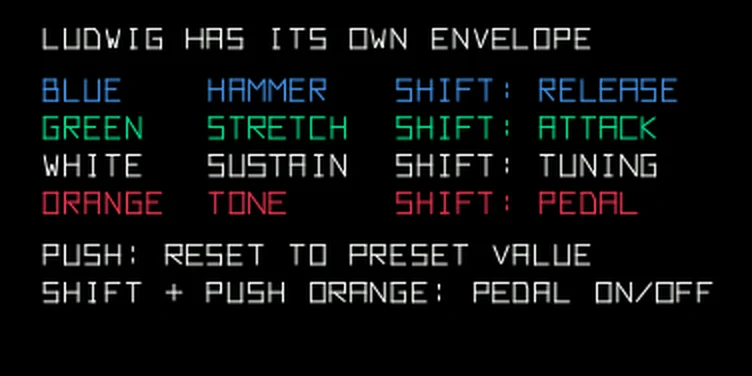
LUDWIG shapes its own level, so the OP-1's envelope doesn't reach it. T2 shows a short guide instead: each encoder with its Shift function in its own colour, and the push rules.
The OP-1's own keys always play at full velocity, so with Hammer in the middle they play the hardest recording. Turn Hammer left to play softer. From a MIDI keyboard, velocity picks the recording.
Pedal holds the dampers up, so notes ring until they die away. Shift + push orange turns it on and off, and it is saved with the sound. The keys above E6 have no dampers, as on a grand piano.
Shift + turn white picks one of eight tunings: equal temperament at A 440, equal at A 430, Vallotti, Young, Werckmeister III, Kirnberger III and sixth-comma meantone (all at A 430), and Vallotti at A 440. The tuning is saved with the sound.
Push an encoder and it jumps back to the value the sound loaded with. Shift + push does the same for the Shift value, except on orange, where it turns Pedal on and off.
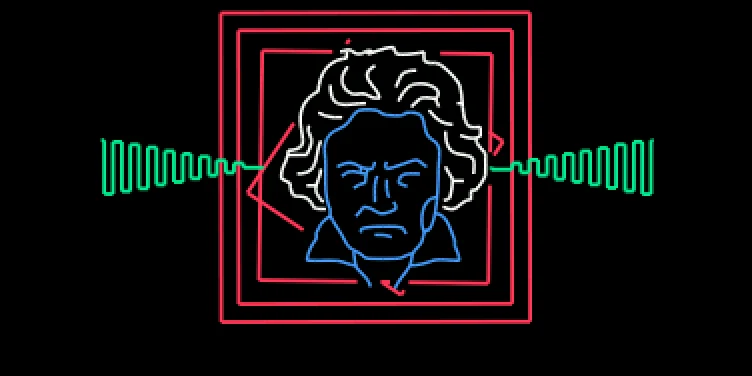
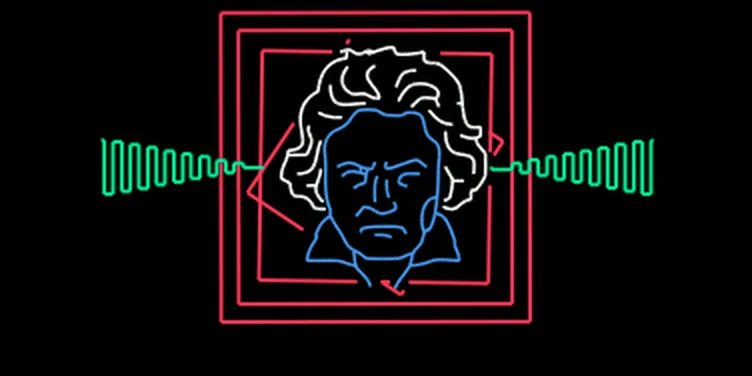
The head and the squares are drawn on the screen as you play. The outer square stays still, the second rocks with Hammer and the third turns with Stretch. The innermost one spins on each strike and slows as the note fades, and the green wave follows the loudest note. The name and value of an encoder show in its corner while you turn it, and fade after 2 seconds. While Pedal is on, PEDAL stays in the bottom right corner.
The presets are a grand, soft felt, bright, muted, stretched, bell keys, sustained, pedal down, harmonic, baroque, meantone and vallotti.
The measurements come from the Salamander Grand Piano V3 by Alexander Holm (CC BY 3.0), and the Beethoven screen art is by Rackes.
From the hundekraft 3.3 release. Full manual
From the hundekraft 3.3 release.
3b2c6d285b3a598940073253d189c1e5e690d4d1aef7d1a1582aa7f8eb32ded7