3.3 latest
From the hundekraft 3.3 release.
-
hold.knl 13.5 KB · ↓ 1
- hundekraft
File details
- Format
- hundekraft (kennel) plugin
- SHA-256
1804a8625c42bfb8a265baa72ce3fe55d71310815e3dc52101774c0e4b4ac4e3
by hundekraft
Hold keys to write a looping pattern of up to 32 steps, for chords, drones or four mono tracks
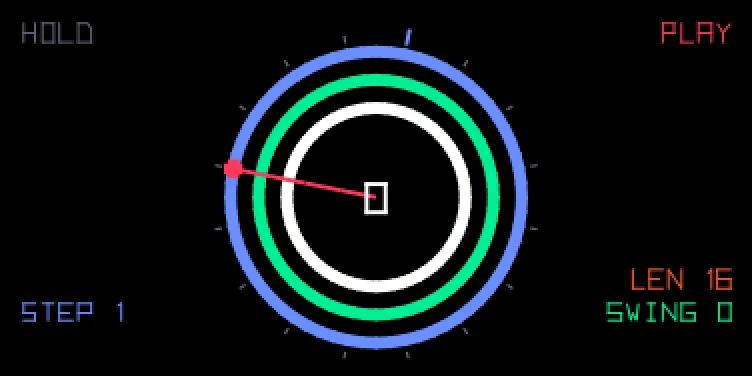
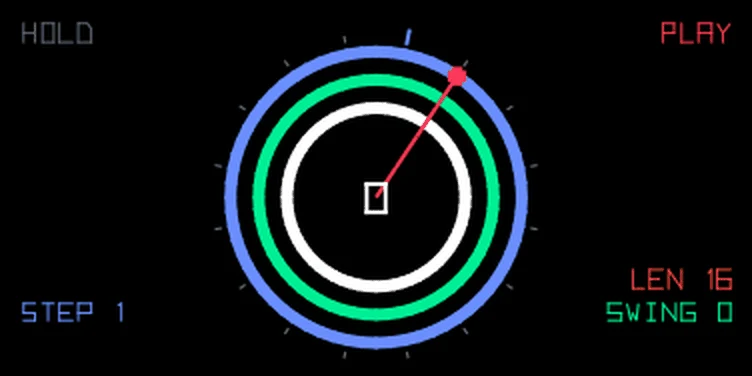
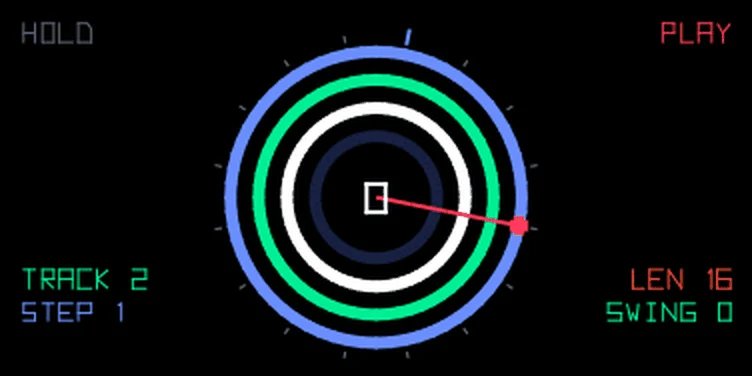
Hold keys, get a loop.
HOLD turns the keys you hold into a short loop. While it runs, every key you hold is written into the step under the playhead: keys held together make a chord, one after another a line. A key held across several steps becomes one long note. Let go and the pattern keeps looping. Hold a chord through a whole pass and you get a drone. It doesn't retrigger, even where the loop starts over. The rings on screen fill in as you write.
Select HOLD in the sequencer browser and enable seq. Press a key or push blue to start.
| Encoder | Turn | Hold Shift and turn |
|---|---|---|
| blue | Cursor | Split: keys below it transpose the pattern while you hold them |
| green | Swing | Poly, mono or multi |
| white | Transpose | Erase the step at the cursor |
| orange | Length, 1 to 32 steps of 1/16 | Pattern hold: off stops the pattern when you let go |
Push blue to play or stop. Push orange to clear the pattern. stop halts it until you press a key or push blue. A step holds up to four notes. Synth and drum mode keep their own pattern, and both are saved.
MULTI gives you four mono tracks. Push green for the track below and white for the one above. A key only writes into the selected track, so you can lay a bass line on track 1 and a melody on track 2 without one wiping the other. Each note keeps the octave you played it at: change octave, record track 2, and track 1 still plays where it was. In poly and mono the octave arrows move the whole pattern, as in our other sequencers, unless you turn on the octave lock: hold Shift and push green. Then poly and mono notes stay at the octave you played them in too, so you can drop the octave, add a low bass note, jump up and add a high one. The lock stays on for every pattern until you push again, and OCT LOCK shows above POLY or MONO while you hold Shift. Hold Shift and turn white to erase the selected track at the cursor. The other tracks stay. Transpose and the split move all four tracks, and the orange push clears all of them. Mono plays only its one ring, so a multi pattern switched to mono keeps tracks 2 to 4 for when you switch back.
On the drum page every step remembers the pad you played and its pitch, so the octave arrows don't change what the pattern plays.
The screen shows the pattern as a ring of steps, starting at the top and going clockwise: 16 positions, or 32 when the length is over 16. Every note in a step gets its own ring, in the encoder colours: blue on the outside, then green and white. An orange fourth ring shows up when a step has four notes, and mono shows and plays only the outer one. MULTI always shows four rings, one per track. The selected track's empty steps are lit in its colour, and TRACK and its number show above STEP. A note is a thick arc over the steps it plays. A key held across steps gives one unbroken arc, so a drone is a full circle. Dark stretches are empty, and steps past the length aren't drawn. The red hand points at the step that's playing and the blue tick marks the cursor. The transpose is in the middle, with the split note under it when a split is set. The corners show STEP, SWING and LEN in their encoder colours; hold Shift and they show SPLIT, ERASE, POLY, MONO or MULTI and HOLD ON or OFF instead.
HOLD is modelled on the OP-1 Field's HOLD sequencer. Some details follow our reading of it.
From the hundekraft 3.3 release. Full manual
From the hundekraft 3.3 release.
1804a8625c42bfb8a265baa72ce3fe55d71310815e3dc52101774c0e4b4ac4e3