3.3 latest
From the hundekraft 3.3 release.
-
file.knl 6.5 KB · ↓ 1
- hundekraft
File details
- Format
- hundekraft (kennel) plugin
- SHA-256
3433b56afffd2498fdea2a39b08fc9958b61ecd3e64220cc25a8bd6ae5bfc0bf
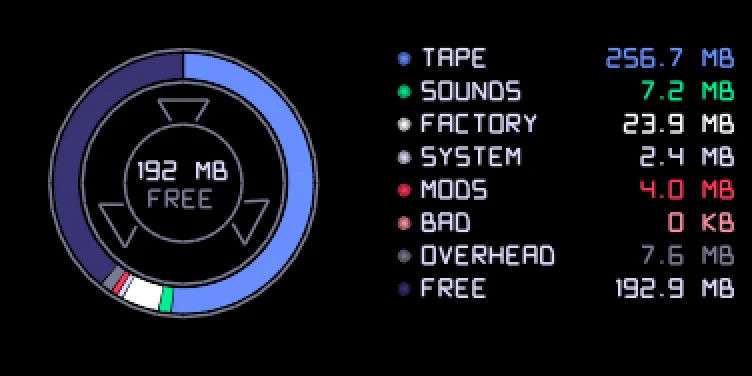
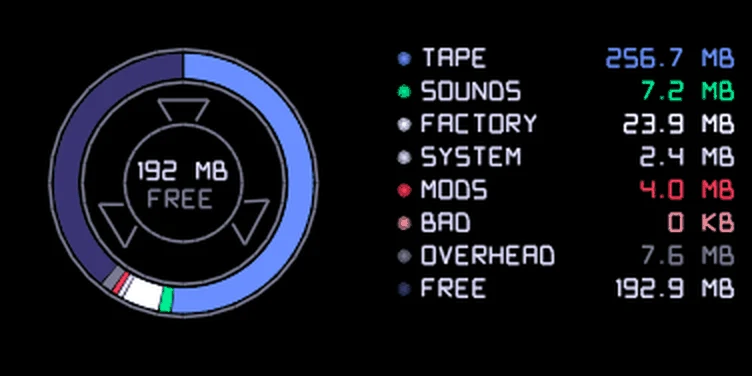
The reel and the list show tape (all four tapes), sounds, factory content, system, mods (plugin files), bad blocks, overhead and free space. Each has its own colour on the reel, and the list gives its size in MB or KB. Push any encoder except blue to count again. A mode key leaves COM, and COM opens on its stock screen next time.
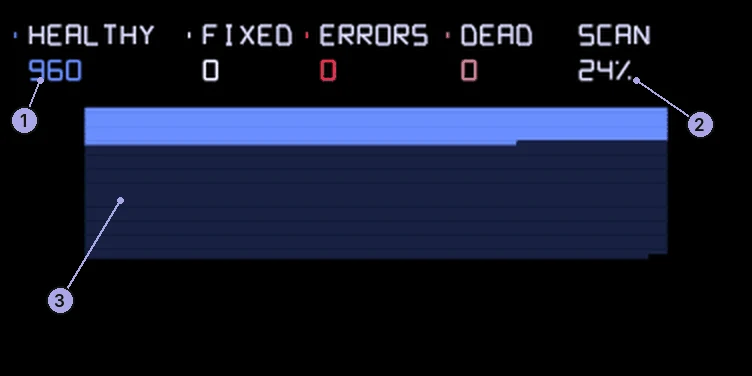
In FILE, push blue. The OP-1 reads every block of its storage, without changing anything, and sorts them:
| Count | Means |
|---|---|
| HEALTHY | Read fine |
| FIXED | Read with a small error that was corrected |
| ERRORS | Has a page that couldn't be corrected |
| DEAD | Already retired by the file system |
The map below has a tiny square for every block, in rows across the screen. Blue is healthy, white fixed, red errors and pink dead. Navy blocks aren't read yet. The map fills in row by row as the scan goes, so most of it looks like solid bands of colour, and a bad block shows up as a speck. SCAN shows the progress. The check pauses (PAUSED) while the tape runs, in disk mode or when you leave the screen, and carries on when you come back. Push blue again to start a new scan, or another encoder to go back to FILE. Nothing is saved: run it again any time.
Credit: hundekraft, after Maiko.
From the hundekraft 3.3 release. Full manual
From the hundekraft 3.3 release.
3433b56afffd2498fdea2a39b08fc9958b61ecd3e64220cc25a8bd6ae5bfc0bf