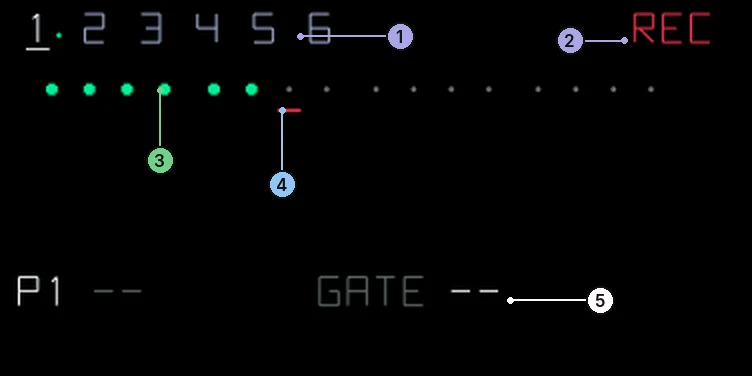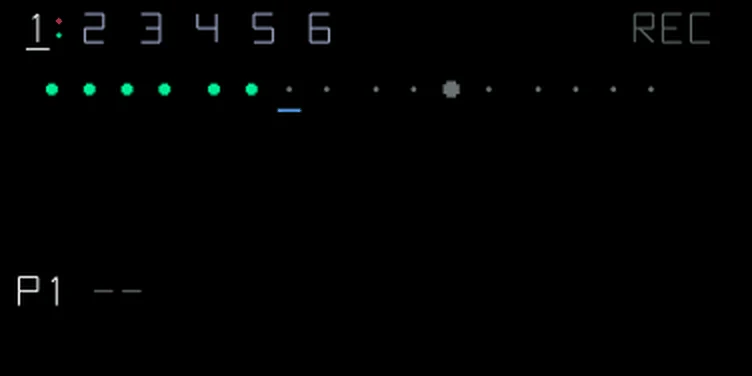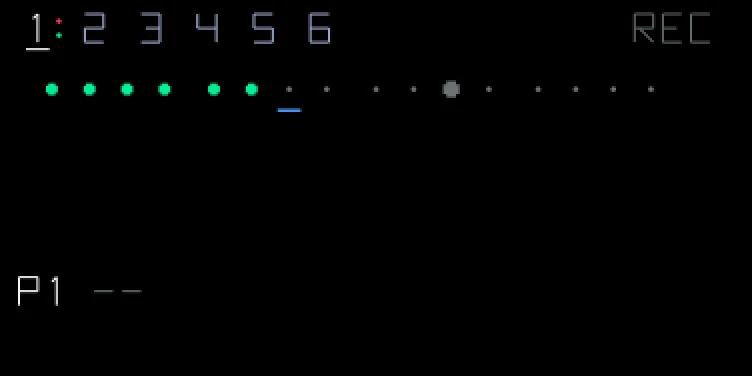
Six slots of up to 64 steps each, all playing at once at 1/16. Every step can have a note, a level, ratchets, a chance, a condition, a nudge and up to four effect locks.
Here is the whole loop. The keys it shares with Euclid work here too.
Make Dots play
- Hold Shift and turn white to pick a slot.
- Press REC. "REC" lights up top right.
- Play notes. Each key puts a step at the cursor and moves the cursor on. Turn blue to move the cursor yourself.
- Press REC again to stop recording. This step matters: while recording, orange sets the step level instead of starting the slot.
- Turn orange right. The slot starts on the next step. Turn it left to stop.
Recording controls
While REC is on:
| Control |
Does |
| blue |
Move the cursor. Shift + turn erases while moving |
| green |
Slot length, 1 to 64. Shift + turn right fills up to the next row of 16, copying the row above; left goes back a row |
| white |
Parameter value. Push to switch between choosing the parameter and setting its value |
| orange |
Level of the step under the cursor, 1 to 127 |
| Push orange |
Switch between step recording (REC) and live recording (LIVE) |
| Push blue |
On an empty step: make a lock-only step. Push again to remove it |
In LIVE, keys you play while the slot runs are recorded at the playhead, rounded to the nearest step. Hold a key longer for a longer gate.
Step parameters
Push white, turn it to choose a parameter, push again and turn to set it.
| Parameter |
Does |
Range |
| GATE |
Note length |
5 % to 100 %, or TIE |
| RATCH |
Repeats within the step |
1 to 8 |
| CHANCE |
Probability the step plays |
0 % to 100 % |
| COND |
Plays only on loop a of b |
ALL, 1:2, 2:2, 1:3 ... 4:4 |
| NUDGE |
Shift the step in time |
-12 to +12 ticks (of 96 per beat) |
| RAMP |
Ratchet level ramp |
OFF, UP, DN |
| FX1 to FX4 |
Effect lock for the effect's blue to orange encoder |
Off, or 0 % to 100 % |
| SY1 to SY4 |
Synth lock for the synth's blue to orange encoder (synth mode only) |
Off, or 0 % to 100 % |
An effect lock moves that effect encoder to the stored value when the step plays, and back after the gate. A lock-only step (hollow square) changes the effect without playing a note: a quick way to throw a single delay or a filter sweep into a pattern.
A synth lock does the same for the slot's synth: the encoder jumps to the stored value when the step plays and goes back after the gate. Use it for a filter opening on one step, or a different wave on the last note of a bar. Drum mode has no synth locks, and the sampler's start and end aren't locked. If you save the sound while a lock holds, the saved sound keeps the locked value, as with effect locks. Patterns made before synth locks load unchanged.
Credit: op1r.
From the hundekraft 3.3 release. Full manual
Releases
From the hundekraft 3.3 release.
-
dots.knl
28.9 KB · ↓ 4 · from GitHub
File details
- Format
- hundekraft (kennel) plugin
- SHA-256
06c3528e24dd6f64a86e3734f817a6d05b1df8ef209974288c5a61875f3aada4- Kept at
- The author’s GitHub. The download is counted here and passed on there; the size and SHA-256 are of the file as it was when this release was listed.