3.3 latest
From the hundekraft 3.3 release.
-
c64arp.knl 31.6 KB · ↓ 1
- hundekraft
File details
- Format
- hundekraft (kennel) plugin
- SHA-256
cb0b42297e559d3809a1bcf55b0b46d8872abe39099c8646240924246074a071
by hundekraft
An arpeggiator with an editable pitch table and a dwell time for each step
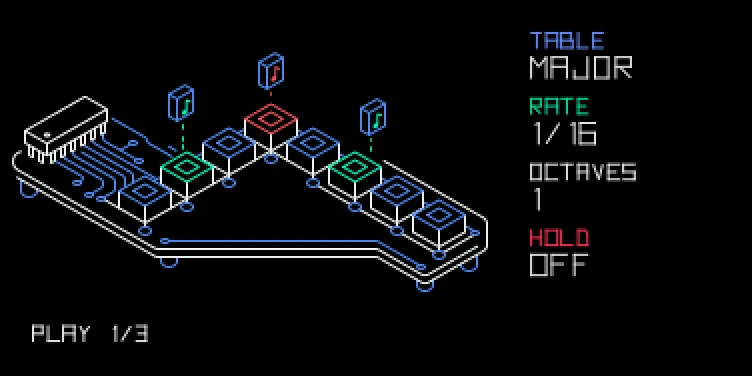
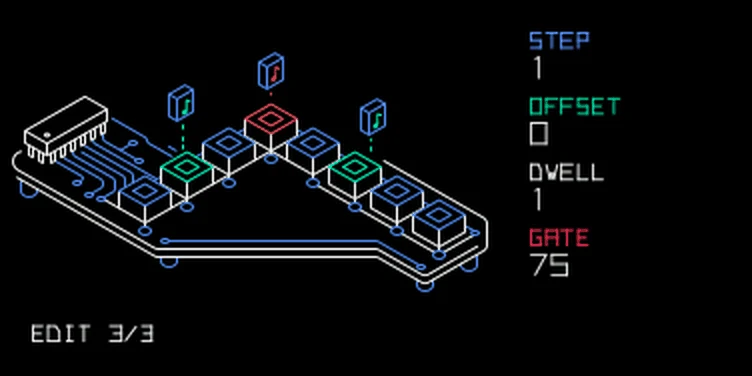
An editable pitch table with per-step dwell time.
Choose C64arp in the sequencer browser: hold Shift and press SEQ, turn blue to c64arp, then press SEQ to load it. With seq on, hold a note to set the root of its repeating table of relative pitches. Turn orange right to hold the notes after you let go, like the stock arpeggio, and left to release them. A step can last several base steps, so a short table can produce uneven rhythms.
| Encoder | Main page | Edit page (push any encoder) |
|---|---|---|
| blue | Preset table, left to right: OFF, major, minor, major 7, minor 7, fifth, sus4, major up/down, minor up/down, octave, sus2, dominant 7, diminished 7, augmented, add 9, minor 9, Alberti, then RANDOM. An edited table shows as CUSTOM between OFF and major | Choose step 1–length |
| green | Base rate: 1/2, 1/4, 1/8, 1/8T, 1/16, 1/16T, 1/32, 1/32T or 1/64 | Offset: the step's pitch, −24 to +24 semitones |
| white | Octaves, 1–4 | Dwell, 1–8 base steps |
| orange | Hold on (right) or off (left) | Gate, 10–100% |
Push any encoder again to return to the main page. Shift + blue sets table length, 1–16; Shift + orange sets Gate, 10–100%. Editing a preset marks the table as custom.
With the table OFF, the arpeggiator plays only the keys you hold, lowest to highest, with no added notes. Hold a chord to arpeggiate it. Rate, Octaves and Gate still apply. Turn blue right to get your table back unchanged. Editing a row also switches the table back on.
The tables after minor up/down add a few more colours. OCTAVE bounces between the root and the octave, the classic chip bass. DOM7 and DIM7 bring tension, AUG and SUS2 sound open and dreamy, ADD9 and MIN9 reach above the octave, and ALBERTI plays root, fifth, third, fifth, like a piano's left hand.
Turn blue right past the last table, ALBERTI, for RANDOM. The arpeggiator then plays the keys you hold, or the ones HOLD keeps, in random order and in a random octave within Octaves. It never plays the same note in the same octave twice in a row, so even a single key jumps around its octaves. With Octaves at 1, a single key just repeats. Rate and Gate work as before. Turn blue left to go back to the table you had.
Without hold, letting go of the last key stops playback. With hold on, the notes keep playing after you let go. Once every key is up, the next key you press starts a new set. Stop or reset clears held notes.
Settings and the edited table are saved separately for synth and drum mode. Held notes and the run state are not saved.
From the hundekraft 3.3 release. Full manual
From the hundekraft 3.3 release.
cb0b42297e559d3809a1bcf55b0b46d8872abe39099c8646240924246074a071