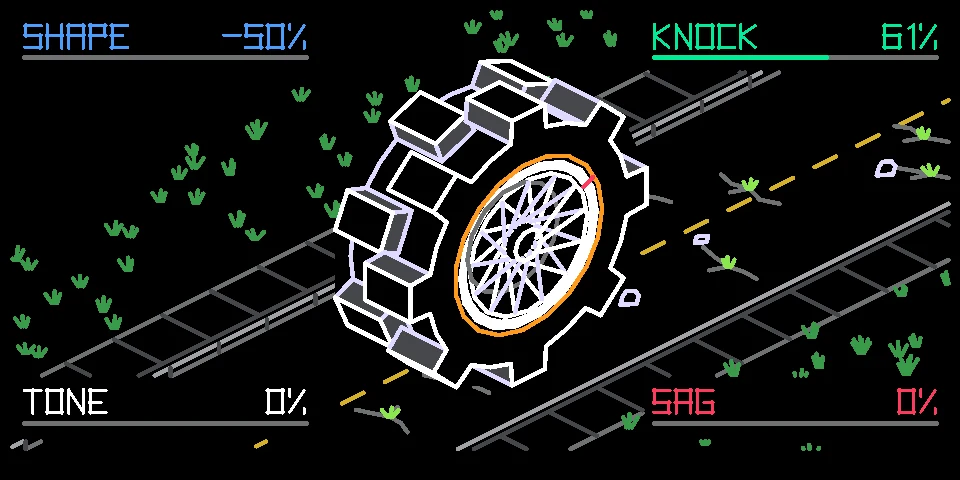
Controls:
🔵 Blue: SHAPE – sine → triangle → saw, with feedback at both ends
+Shift: CLIP – soft → hard, slams at the top
Click to switch to the DRIVE page:
DRIVE – distortion before the clipper, up to 30 dB
+Shift: SMP TUNE – sample tune offset, ±24 semitones
🟢 Green: KNOCK – how far the pitch starts above the note
+Shift: KNCKLEN – how long the pitch drop takes, 20 ms–1.5 s
Click to switch to the sample settings page:
SAMPLE – sample level
+Shift: SMP ATK – sample fade-in, 0–100 ms
⚪ White: TONE – low-pass after the drive
+Shift: SUB – clean sine blended in under the drive
Click to switch to the sample settings page:
S.TONE – the sample's own low-pass filter
+Shift: SMP HPF – high-pass filter on the sample, 30 Hz–3 kHz
🟠 Orange: SAG – pitch falls (or rises below 0) as the note rings
+Shift: GLIDE – slide between overlapping notes, 0–500 ms
Sample layer:
Record a kick, click or snap with the OP-1's own sampler on any other synth slot. TYR8 layers it onto every new note.
• SRC– on T2, click Green to pick the sample: AUTO (the first other slot with a recording) or slot 1–8
• Follows the sampler – TYR8 picks up the sampler's settings (start, end, play direction, tune, level)
• Key follow – the sample's pitch follows the key you play
• Signal path – the sample gets its own high-pass (SMP HPF) and a copy of the drive, then its own tone (S.TONE) and fade-in (SMP ATK), and joins the 808 before the clipper.
T2 ENV page controls Attack, Decay, Sustain, Release
Controls (T2 page):
🔵 Blue: ATTACK – 0–1 s
🟢 Green: DECAY – 0.1–4 s
Click to pick the sample's slot: AUTO / 1–8
⚪ White: SUSTAIN – 0–100%
🟠 Orange: RELEASE – 10 ms–4 s, then HOLD
Click to switch play mode: MONO GLIDE / MONO RETRIG
Demo: https://youtu.be/MCoirw8AByE
Releases
0.9.40 latest
Added Sample layer. Can now select sample from OP1 slots 1-8 to layer onto the kick (for girth or for attack)
Sample settings pages enabled by clicking blue, green, or white encoders
sample mix, sample tune, sample tone, sample attack, sample high pass filter all adjustable
Sample SRC is selected by moving to T2 page & clicking green encoder
Play mode (glide/retrigger) moved to T2 page, orange encoder click
SUB oscillator now sits 1 octave below main. Knob mixes it in up to 100% of the mix
Sound engine improvements
SAG can now go backwards
Hits the clipper harder
Deprecated controls documentation:
Controls (T1 page):
🔵 Blue: SHAPE – sine → triangle → saw, with feedback at both ends
+Shift: DRIVE / CLIP – Shift + click switches between them
🟢 Green: KNOCK – how far the pitch starts above the note
+Shift: KNOCK LEN – how long the pitch drop takes, 20 ms–1.5 s
⚪ White: TONE – low-pass after the drive
+Shift: SUB – clean sine blended in under the drive
🟠 Orange: SAG – pitch falls as the note rings
+Shift: GLIDE – slide between overlapping notes, 0–500 ms
Click to switch play mode: MONO GLIDE / MONO RETRIG